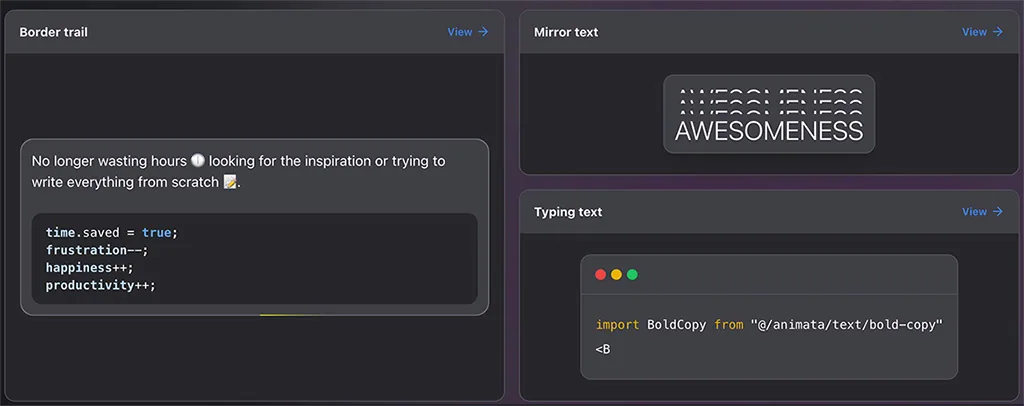

Textify.js 是一個 JavaScript 函式庫,讓你可以在網頁上為文字添加動畫效果。這是一個安裝和使用都相當簡單的函式庫,提供多種可選的動畫效果,並讓開發者能夠根據個人喜好進行客製化。
Textify.js 可以與 GSAP 搭配使用其效果,安裝的話可以透過 npm
npm install textify.js gsap --save
接著 immport
import gsap from "gsap";
import Textify from "textify.js";

new Textify({}, gsap);
或是透過 cdn
https://cdn.jsdelivr.net/npm/textify.js/dist/Textify.min.css
https://cdn.jsdelivr.net/npm/textify.js/dist/Textify.min.js
https://cdnjs.cloudflare.com/ajax/libs/gsap/3.6.1/gsap.min.js
接著在 html 上加上 data-textify
<h1 data-textify>Hello World</h1>
一些設定跟方法可以參考官網上的說明。
  splitType: "lines words chars", // chars or words or lines
  largeText: false, // true or false
  observer: {
    repeat: false, // true or false
    threshold: 0.5 // 0.0 ~ 1.0
  },
  animation: {
    by: "chars", // chars or words or lines
    duration: 0.5, // seconds
    stagger: 0.05, // seconds
    delay: 0.0, // seconds
    ease: "ease", // ease or linear or cubic-bezier
    customAnimation: false, // true or false
    transformOrigin: "center center", // center center or top left or top center or top right or center right or bottom right or bottom center or bottom left or center left
    animateProps: {
      opacity: 1, // 0 ~ 1
      y: "100%", // -100 ~ 100 (%)
      x: 0, // -100 ~ 100 (%)
      scale: 1, // 0 ~ 1
      rotate: 0, // -360 ~ 360
      skewX: 0, // -360 ~ 360
      skewY: 0 // -360 ~ 360
    }